Memory Reuse Analysis
memory_map renders a pass dump as an interactive HTML map of on-chip memory. It complements IR Pass Trace when you need to understand how compiler output uses and reuses memory.
Open the memory map
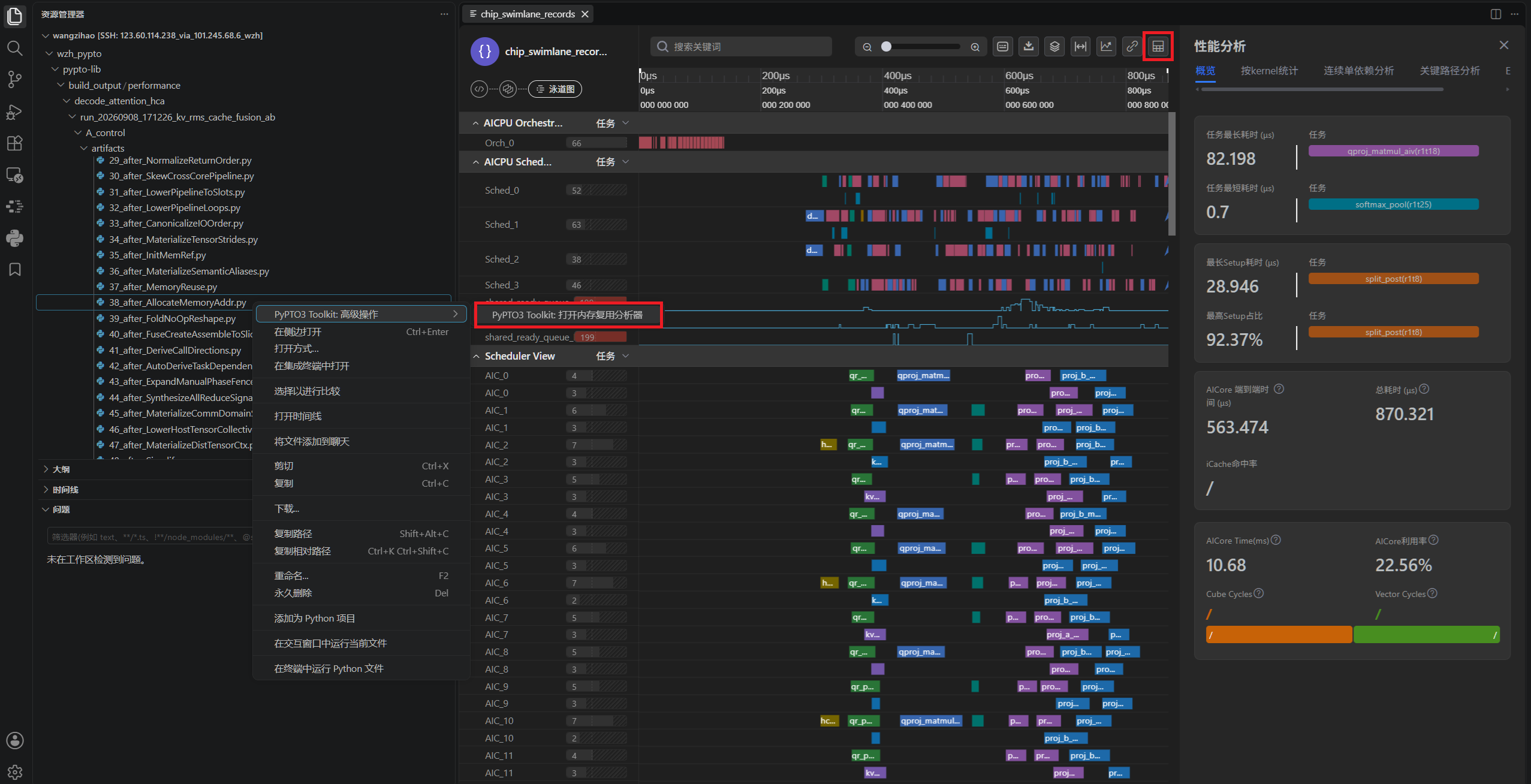
Right-click a file matching *after_AllocateMemoryAddr.py in a passes_dump directory and select PyPTO3 Toolkit: Open Memory Reuse Analyzer. Alternatively, select openMemoryMap in the upper-right corner of an open Chip Swimlane preview.
Review overall buffer utilization
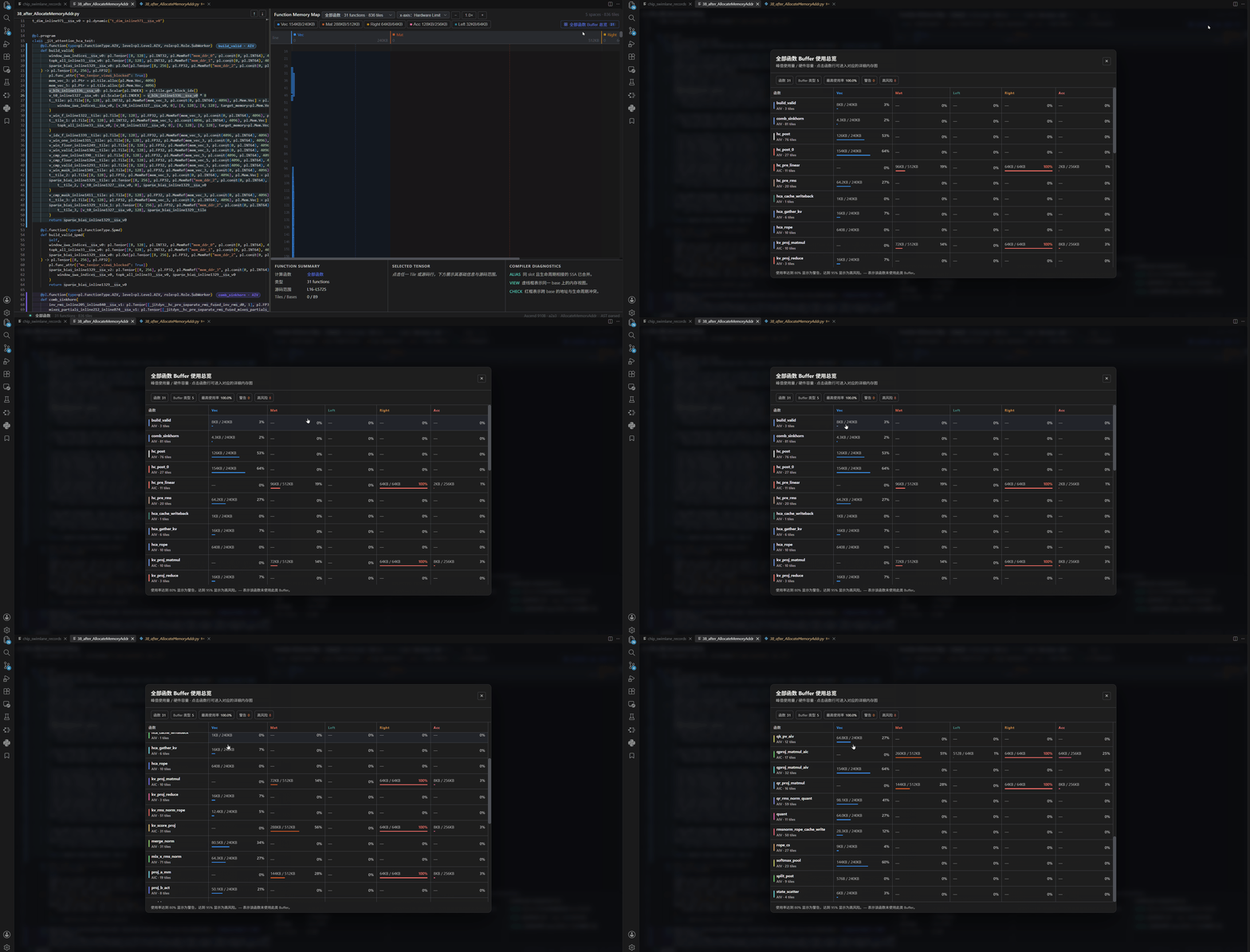
Use All Functions Buffer Usage Overview to review buffer utilization across all functions.
Analyze tiles in a function
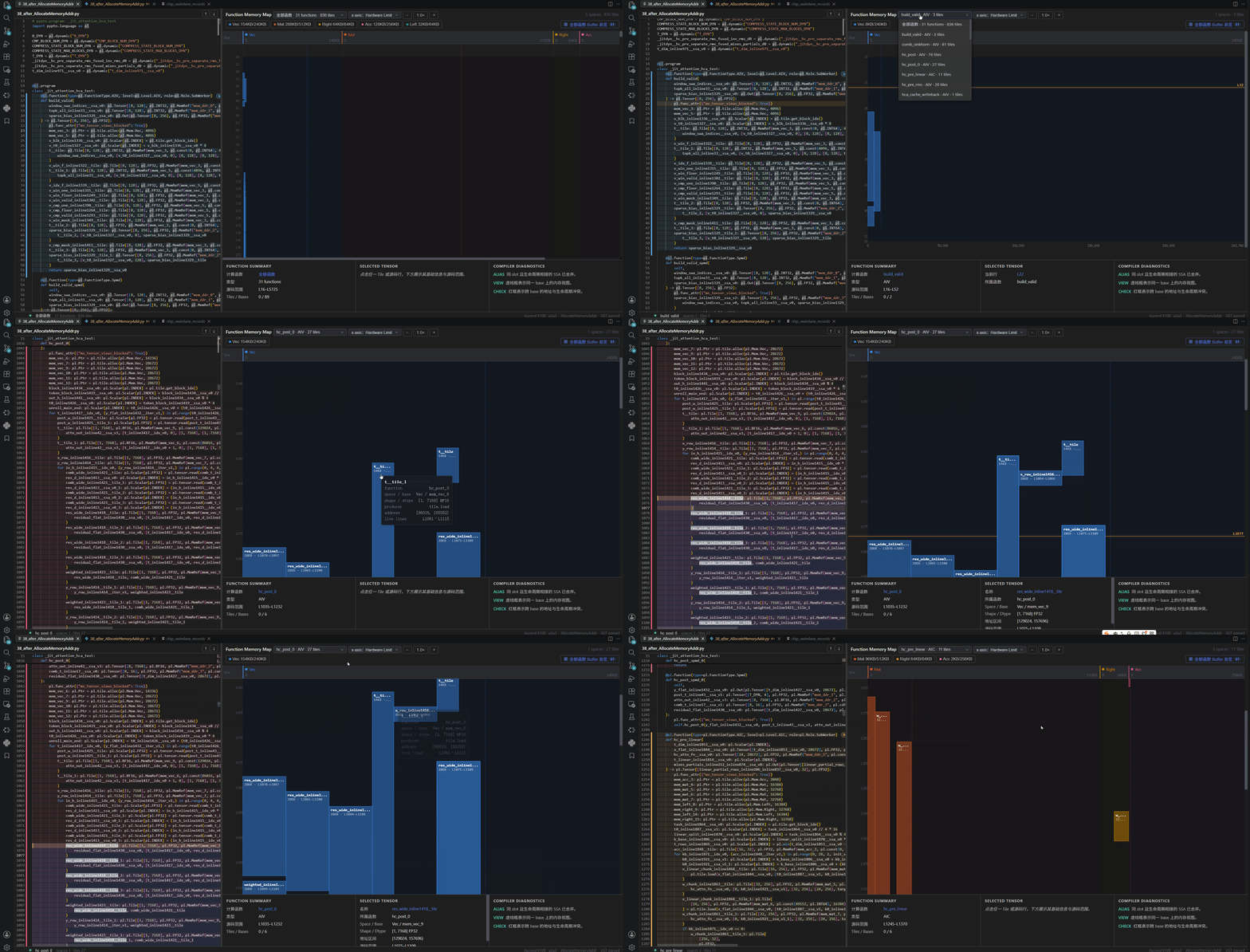
Select a function block in the original pass source, or choose a function from the overview drop-down list, to inspect the tiles defined in that function. Select a tile block in the map to view its details and find where it is created and used in the original pass source.
Read the memory map
- The horizontal axis represents memory addresses.
- The vertical axis represents lifetimes, increasing downward.
- Each tile is a rectangle: its horizontal span covers the bytes occupied by the tile's MemRef, and its vertical span covers the statement interval during which the MemRef is live.
The address and lifetime axes make reuse decisions visible at a glance, without switching between separate tables. In the function view, the vertical axis corresponds to each tile's lifetime in the original pass source.