Task Dependency Graph
The Task Dependency Graph reads tasks, edges, and tensors from deps.json and displays the PyPTO 3.0 task DAG. The extension removes duplicate edges and attempts to load the newest name_map*.json in the same directory to display function names.
Open the graph
In the VS Code Explorer, right-click the file named exactly deps.json and select PyPTO3 Toolkit: Open File.
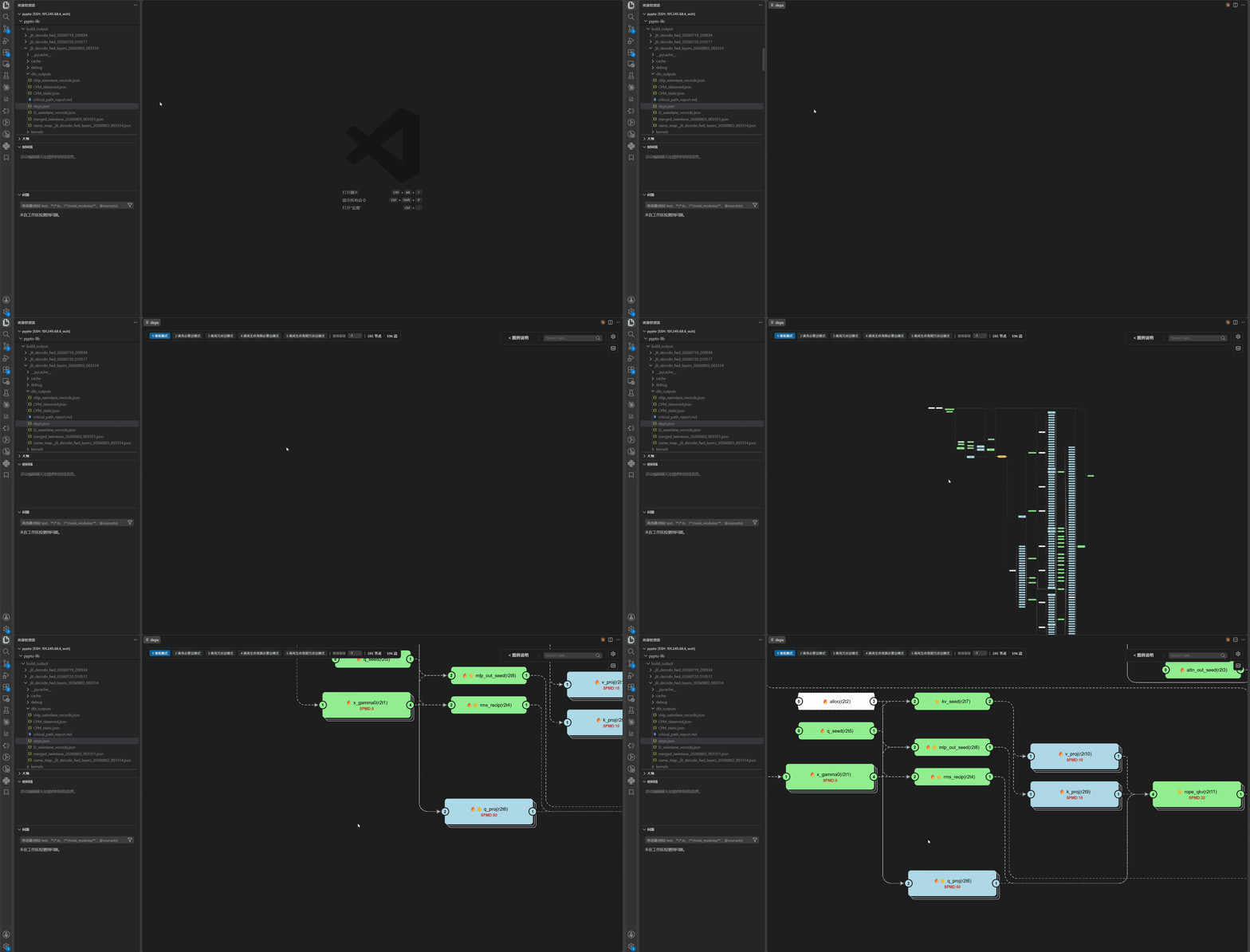
Node information
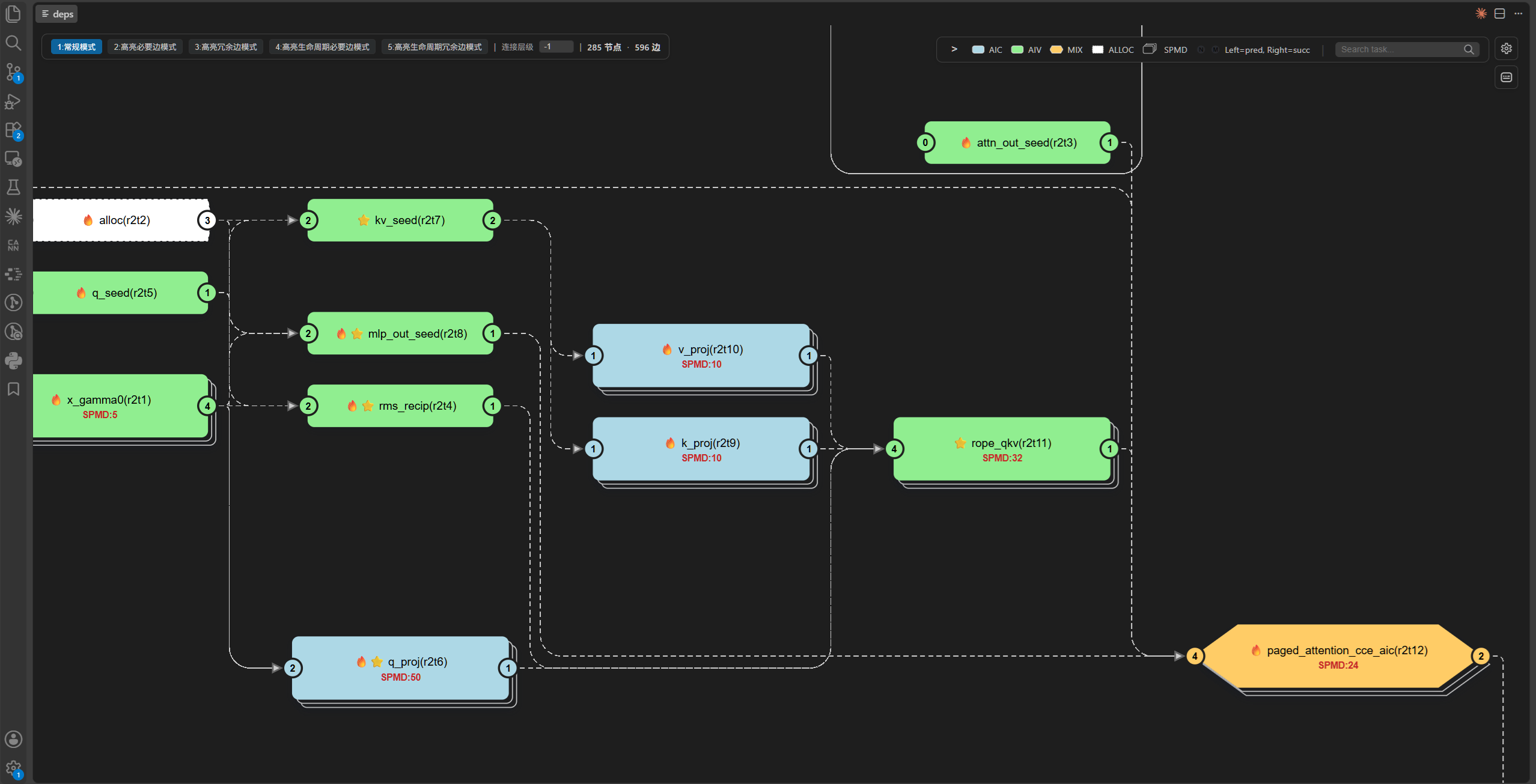
Different shapes and colors distinguish AIC, AIV, MIX, ALLOC, and SPMD tasks. Nodes and the details panel can display:
- function name and Ring/Task ID;
block_numand predecessor and successor counts;- tensor argument index and input/output type;
- tensor name, dtype, shape, stride, and offset;
- predecessors, successors, and consolidated counts for identically named SPMD tasks.
The node style and background color are determined by the AICore type used to execute the task. SPMD tasks use a stacked appearance, with the overlap count shown in the node text. The ports on both sides of a node indicate its in-degree and out-degree.
Search, selection, and dependency highlighting
Search by function name or Task ID to locate a task. Hover over or select a node to highlight its predecessors and successors.
Selecting a task node also displays its details in the right-hand panel and highlights the dependency chain containing it. Use the dependency depth number to control how many levels are displayed.
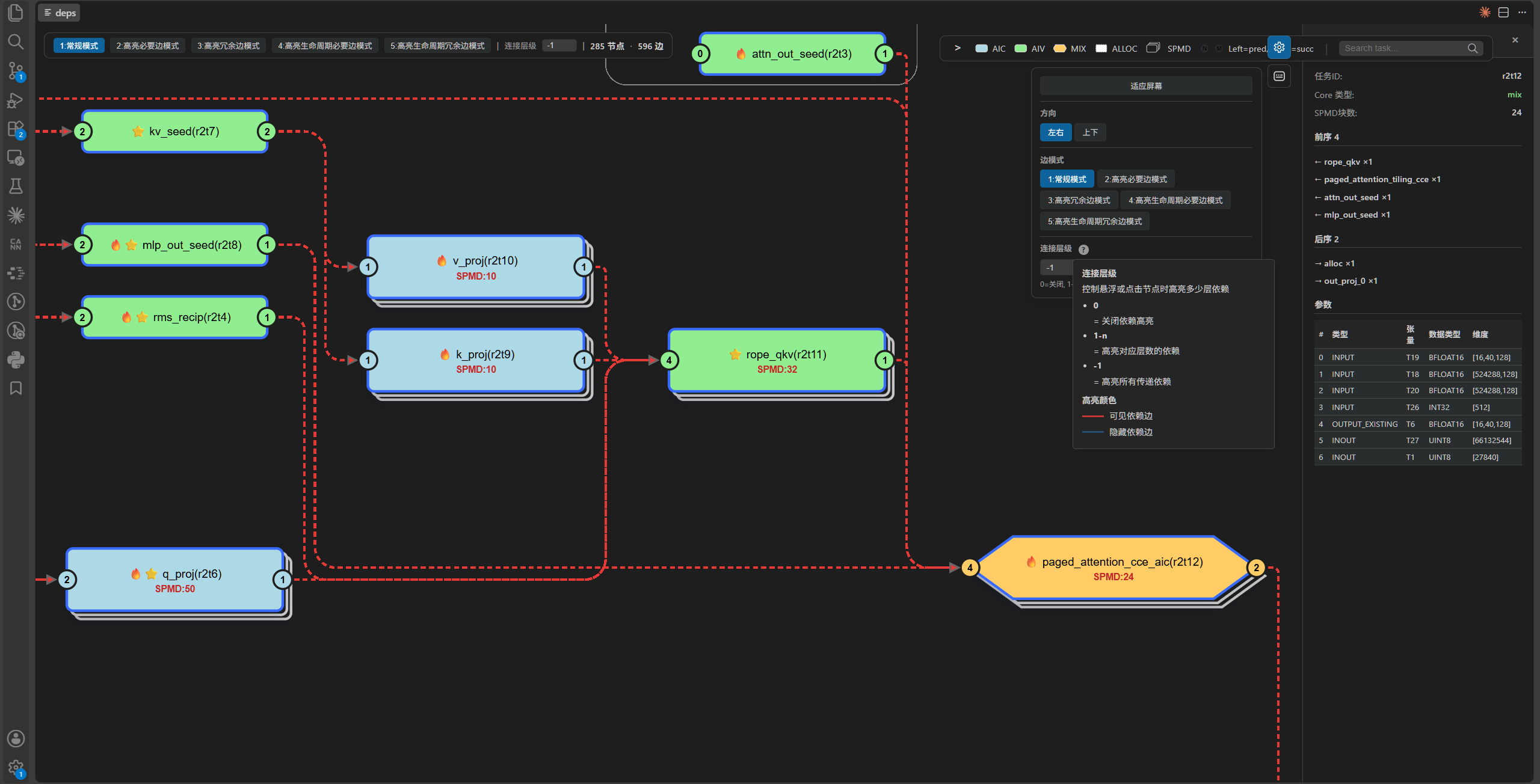
Dependency highlight depth:
| Value | Meaning |
|---|---|
0 |
Disable dependency highlighting |
| Positive integer | Expand the specified number of dependency levels |
-1 |
Expand all transitive dependencies |
The graph supports left-to-right and top-to-bottom layouts, zooming, panning, and Fit to Screen. The HUD shows the node count and the number of currently visible edges.
Dependency edge modes
| Mode | Meaning |
|---|---|
| Full | Show all dependency edges |
| Reduced | Hide transitively redundant edges |
| Omitted | Show only edges classified as redundant |
| Reduced DF | Hide redundant edges according to Data Flow rules |
| Omitted DF | Show only edges classified as redundant by Data Flow rules |
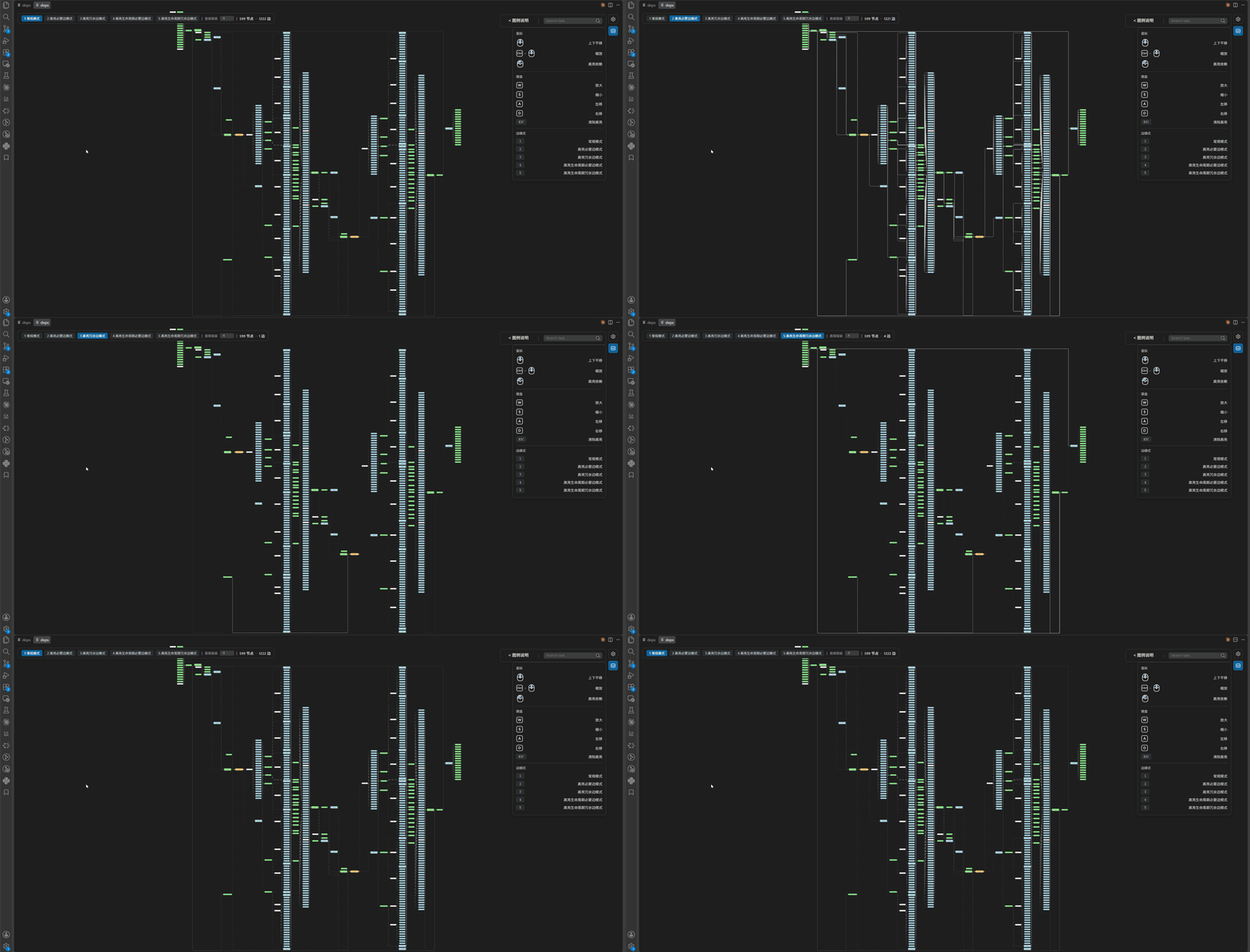
Start with Full to verify the original dependencies. Then use Reduced or Reduced DF to focus on required dependencies. Switch to the corresponding Omitted mode to inspect the source of redundant edges.
You can use the mouse or number keys to switch between edge rendering modes and highlight the edges of interest. Necessary and redundant edges are complementary sets. Standard redundant-dependency analysis assumes that dependencies following an alloc cannot be removed; lifetime analysis further determines whether those dependencies can also be removed.
Early Dispatch markers
Markers in the dependency graph describe dependency metadata or graph structure:
| Marker | Current meaning |
|---|---|
🔥 |
The task is ALLOC, or it has an early_dispatch marker in deps.json |
⭐ |
All predecessors belong to the early-processable set, and at least one predecessor is not ALLOC |
Important
These markers do not prove that the task was actually dispatched early during this run. The dependency graph cannot report a runtime ratio such as “N of M physical blocks were dispatched early.” An
early_dispatchphase in the Scheduler swimlane only shows that the phase appears in the runtime record.